 IQCertainty
Example scenario · Professional offices
AI for professional offices: a front desk that keeps up
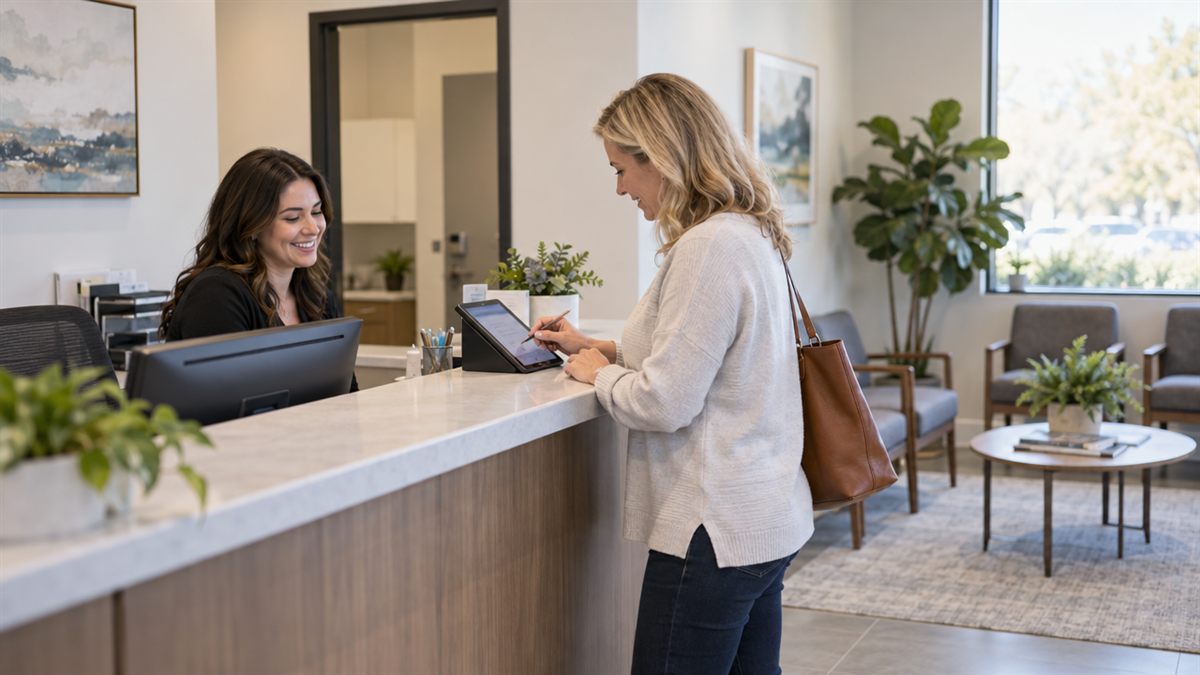
Phones, scheduling, intake forms and the same questions all day. Here's how a medical, dental, legal or insurance office could use AI to lighten the front desk, shown as an example scenario.
What owners report
The everyday problems, in their words and numbers
Paperwork keeps growing
Nearly all medical group leaders report a heavier regulatory burden, and most report more prior-authorization work. MGMA, 2026
Front-desk jobs sit open
About four in five medical groups report an open admin job, often reception, scheduling or phones. MGMA, 2026
Staffing in dental offices
About three in five dentists worry about recruiting and keeping staff, and many cite slow insurance payments. ADA Health Policy Institute, 2025
Margins come first
Medical practice leaders rank margins and costs as their top priority. MGMA, 2025
AI tried but not adopted
Most solo and small-firm legal professionals use AI in some way, but very few have adopted it widely. Clio, 2025 (vendor data)
How businesses are adapting
What's already working for others
AI for scheduling and calls
Medical groups are aiming AI first at scheduling, phone calls and registration, and some have redesigned roles around it. MGMA, 2026
Online intake and texting
Small law firms are adding online scheduling, intake forms, e-signature and text messaging. Clio, 2025 (vendor data)
A day in the life
A calmer front desk, a fuller calendar
Law, accounting, dental and medical offices share the same front-desk pressure: phones ringing, intake paperwork, reminders and the same ten questions. I set up online intake that fills your records before the client walks in, reminders that cut no-shows, document requests that chase themselves, and an assistant that answers routine questions while keeping sensitive information protected.
Your staff gets time back for the clients in front of them, and nothing confidential leaves your control.
- Online intake that fills your records automatically
- Reminders and easy rescheduling by text
- Document requests that follow up on their own
Inquiry2
Consultation1
Engaged1
Onboarded2
Example scenario
A week at a local office, before and after
Before
- Phones ring through lunch while the desk checks people in
- Intake forms filled out on clipboards and retyped
- No-shows found out about at the appointment time
- Staff answer the same five questions all day
After
- Patients and clients book, reschedule and get reminders on their own
- Online intake flows straight into your system, with nothing retyped
- Reminder texts confirm or fill the slot ahead of time
- A website assistant answers common questions and hands off the rest
In this illustrative scenario, the front desk spends less time on the phone and more with the people in the room. Your results depend on your office and the rules you follow.
What I'd build
Tools shaped around how you already work
Online booking and reminders
Patients and clients book and reschedule themselves, reminders go out on their own, and cancellations get filled from a waitlist.
Front desk assistant
Common questions about insurance, fees and hours answered instantly by phone, text and your site, so the front desk can focus on people in the room.
Connecting the tools you already pay for
Intake forms, scheduling, billing and your practice software talk to each other, so nobody retypes the same information.
AI plan and team training
A plain-English plan for what to adopt and what to skip, clear rules for private information, and hands-on training for your staff.
Concept mockups
What it could look like on your phone and screen
These are concept mockups drawn for this page, not screenshots of a real business. Names and numbers in them are placeholders.
| Time | Visit | Intake | Reminder |
|---|---|---|---|
| 9:00 AM | New client | Done | Confirmed |
| 9:30 AM | Follow-up | Done | Confirmed |
| 10:00 AM | Consult | Pending | Sent |
Your first 30 days
From first conversation to working tools
Week 1 · Listen
A free assessment, then a working session at your business or by video. I map how the work actually flows today and where the hours go.
Week 2 · Plan
A short written plan in plain English: what to build first, what it costs, and the result we're aiming for. No surprises later.
Weeks 3–4 · Build
I build and connect the first tools, test them with your real work, and adjust until they fit how your team already operates.
Day 30 · Launch and train
Your team learns it in a short hands-on session. I stay on call while it settles in, and we measure the results we agreed on.
Common questions
What owners usually ask
Is client information kept confidential?
Yes. I design around your privacy rules, keep sensitive data in systems you control, and sign a mutual NDA before seeing anything.
Does this replace my receptionist?
No. It takes the repetitive work off the desk so your team can focus on the people in front of them.
Can clients change their own appointments?
Yes. Clients can reschedule from their reminder, and the calendar updates for everyone automatically.
Why work with me
I'm a real person, I've run businesses, and I don't win unless you win.
I start by listening to how your business runs today, then recommend only what will actually help. Your information stays confidential, and we can sign a mutual NDA before we look at anything sensitive.
Sources
Figures above are summarized from these published reports. Vendor data comes from companies that sell software to the industry.
- ADA Health Policy Institute, 2025
- Clio, 2025 (vendor data)
- MGMA, 2025
- MGMA, 2026